Installation
Note
If you require any assistance at any point during the installation process, please do not hesitate to contact ProSensus at software@prosensus.com.
Once FormuSense is purchased, the user will receive an email regarding the order of FormuSense and will be prompted to set a password for the license portal. Once the user’s password is set, the user may log onto the portal at https://www.licensing.prosensus.com/. An email with the license key and further instructions will also be sent.
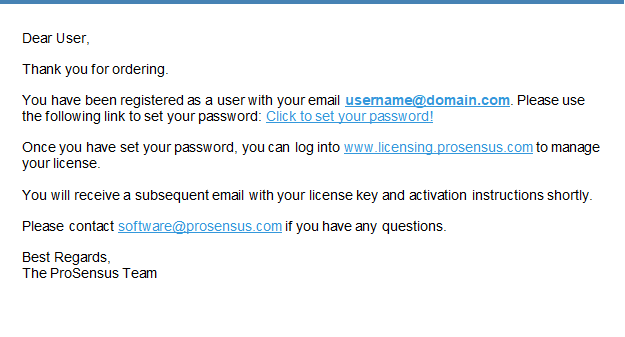
Confirmation email of FormuSense order and directions for registration. Follow the links in the email to register.
On the portal, the user may choose to:
View licenses associated with the account.
View license details, including the activation key, creation date, expiry date, status, and remainder of license validity.
Download the latest version of FormuSense.
View release notes for FormuSense.
Update account information.
Setup two-factor authentication via an authentication app (e.g. Google Authenticator™).
Setup Google SSO (Single Sign On).
To view the licenses registered to the user, click the Licenses tab at the top of the page. You will need the license key(s) here to activate FormuSense when you open it for the first time.
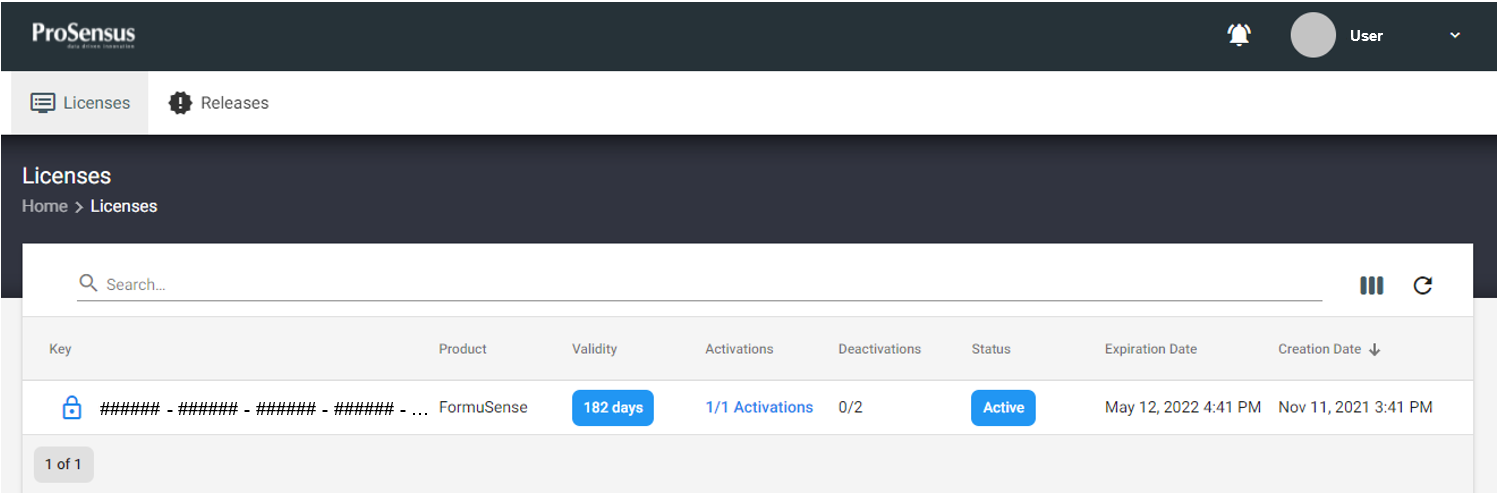
Main page of the ProSensus FormuSense license portal. You may view details of your account and product key on this page.
To download a copy of FormuSense, go to the Releases tab at the top of the page and click Get Download Link at the right side of the current version of FormuSense.
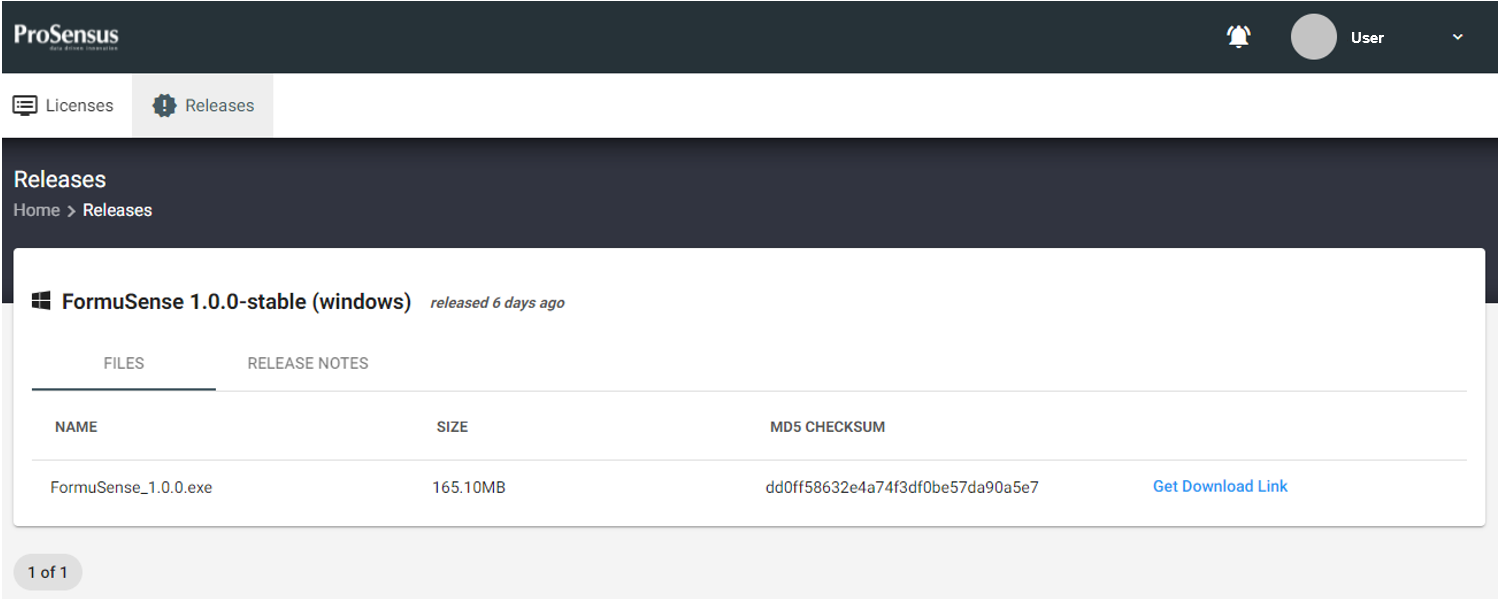
Releases tab of the ProSensus FormuSense license portal. You may download a copy of FormuSense by clicking on Get Download Link.
Once FormuSense is downloaded and installed on the user’s computer, FormuSense will prompt the user for a license key during the first launch of the software. Enter the license key provided in the license portal, or alternatively, an email containing the license key should have been sent to the user. The user may begin using FormuSense immediately after activation of the software.

FormuSense activation window when launching FormuSense for the first time. The End User License Agreement (EULA) is provided for review and may also be found at the end of the user manual.